Skip to content
English - United Kingdom
  • There are no suggestions because the search field is empty.

SmartDoc - Image Quality Specifications

The SmartDoc check requires a high level of image quality, to enable the comprehensive verification of documents and facial recognition

To maintain exacting standards of compliance, fraud prevention, and regulatory 
alignment, it is essential that submitted documents meet strict quality and authenticity 
criteria.  
 
Documents that fail to meet these standards are flagged as unacceptable and cannot 
be used for identity verification.


Image Quality Standards

Clear and legible

All text, numbers, and photos must be sharp and readable. If this is not the case, the fields unreadable will read "N/A".

Even lighting

Avoid glare, shadows, or reflections that obscure key details.

Full document visible

Ensure all edges and corners are captured, no cropping 
or partial views.

Correct orientation

The document should be upright and not tilted or upside 
down.

Original document only, No Scans

Uploads must be of the physical ID. No scans, 
screenshots, or photocopies.


Common Document Inadequacies

Uncertain Provenance

Documents where the origin or authenticity cannot be verified:

• Certified by unknown or unratified third parties

• Manipulated or unverifiable copies

• Image quality too poor for fraud checks 

Black and White Copies

Black and white copies obscure security features and raise red flags:

- Cannot verify document origin

- Was the document authenticated properly?

Scanned Copies

Scans often degrade image quality and obscure authenticity. These are not suitable for fraud detection.

- Common fraud tactic to avoid submitting originals

- Poor resolution and sizing issues

- Security features lost in scan

Screenshots

Providing a copy from a phone or screen is high-risk, potential fraud territory:

- Original document has not been seen

- It can easily be manipulated

- Security features, edges cannot easily be detected due to quality issues

- Cannot confirm provenance of who took the photo and when

If one of these issues causes a "Fail" to be returned, information as to the reason will be provided on the results page.


Document Quality Standards (Mobile) 

Using the mobile journey – users are guided significantly by good selfie and document capture practices at each stage.  

 With the mobile journey, SmartSearch have less control over the images that clients are capturing and significantly rely on Daon to aid their capture. We should instill the following recommended standards where possible to achieve the best outcomes.

BEST PRACTICE

NOT BEST PRACTICE

Selfie:

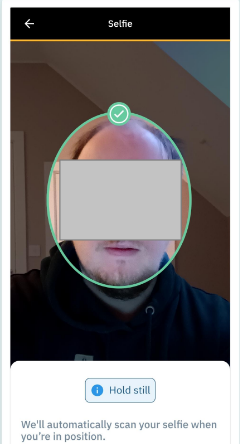
For optimal results, the following principles should be followed.

  • Captured via a smartphone.
  • Good Lighting
  • Plain Background
  • Face Fully Visible
  • Neutral Expression

            Images that may not follow all best practices may still be accepted thanks to the provider’s advanced Liveness capture. These are recommended standards, not strict requirements.

            Principles should be around similar standards to taking of a passport photo.


            Documents:


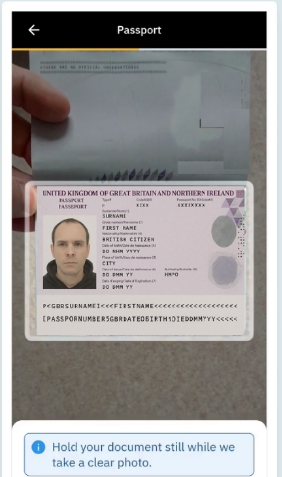
            Document captures best practices are as such:

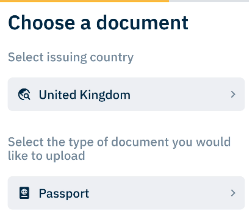
            • Correct country selected by the user
            • Correct document type selected by the user
            • Good Lighting
            • Fully Visible Document
            • Good Background Contrast
            • Correct way up.
            • Flat

                          Mobile journey users should follow the on-screen instructions and use automatic capture. Align the document within the guidance rectangle; once conditions are met, the system will capture it automatically.

                          Selfie:

                          Images captured in the following environments have a reduced chance of acceptance.

                          • Poor Lighting / Glare
                          • “Busy” Backgrounds, such as cupboards, windows, picture frames or other obstructions
                          • Dark sunglasses
                          • Eyes closed
                          • Other non-optimal conditions.

                                    For each of these – clear instructions are provided when there are issues to rectify.

                                    Selfies where an image is being captured what is clearly not a real person, will not be permitted.

                                    Users should also ensure they are appropriately dressed.


                                    Documents:

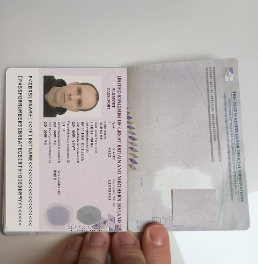
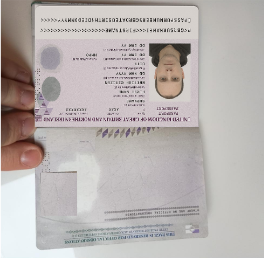
                                    • Image is rotated and harder for algorithms to process.

                                    • Image is zoomed out and is upside down.

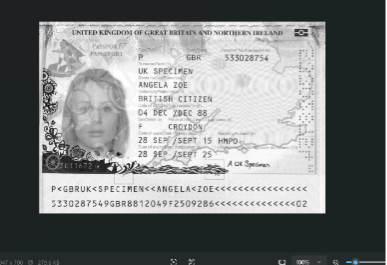
                                      • Image is clearly captured from a screen.
                                      • Images that are clearly a paper copy.
                                      • Document has details/information obscured.
                                      • Quality is not sufficient so that biometric security within the document is not clear can lead to failures.

                                              • Clear/ high quality
                                              • All biometric document information is captured within the image.
                                              • No glare that fully obscures key information
                                              • Edges of the document are clearly visible
                                              • Security features on the document are visible and clear.
                                                                • Low quality/ blurred.
                                                                • Captured from a screen
                                                                • Photo/Paper/Black & White Copy
                                                                • Only part of the document is visible (e.g., missing edges) or missing data.
                                                                • Text is illegible.
                                                                • One side of (non-UK) driving licence uploaded.
                                                                • Orientated in a way to make the document harder to read.
                                                                • Missing security features.
                                                                • Document is expired.


                                                                Driving Licence - Back of document may be required. Please upload where prompted. If through mobile journey, the client will be prompted where necessary.

                                                                This may say "optional", in which case we recommend that the back is uploaded, but the check may be performed without.

                                                                Document Quality Standards (Manual) 

                                                                Recommended standards are as follows:

                                                                • Clear and legible: All text, numbers, and photos must be sharp and readable.
                                                                • Even lighting: Avoid glare, shadows, or reflections that obscure key details.
                                                                • Full document visible: Ensure all edges and corners are captured, no cropping of the biometric page where it would obscure key details.
                                                                • Correct orientation: The document should be upright and not tilted or upside down.
                                                                • Original document only: Uploads must be of the physical ID. No screenshots, or poor quality or black and white scans.


                                                                ACCEPTABLE

                                                                NOT ACCEPTABLE

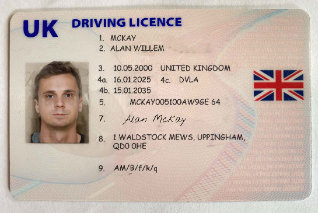
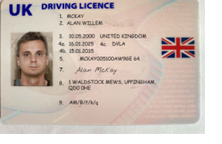
                                                                Clear UK Driving Licence with all four corners visible and all details visible

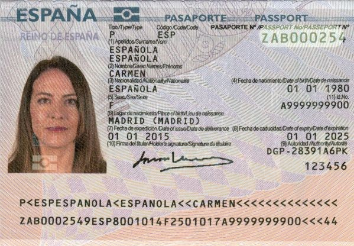
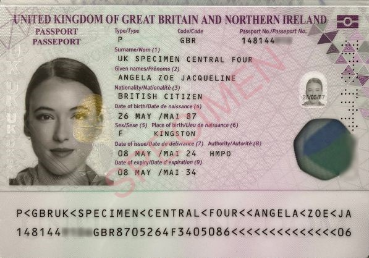
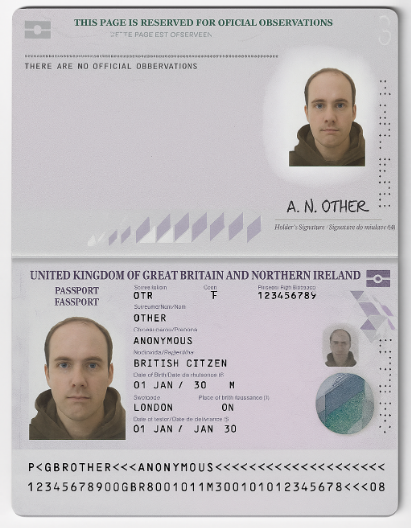
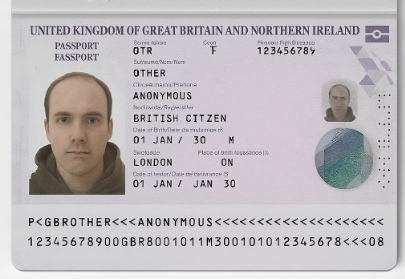
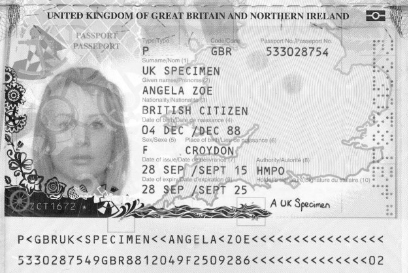
                                                                Details within Passport are clear and legible. Wording is horizontal. MRZ is fully on display and not obscured. High quality image.

                                                                High quality image. 300+ DPI. All details clearly visible Colour image. Easily read.

                                                                High quality scan. Clear information. All information visible, including security features. In colour.

                                                                Also acceptable – where the image has been cropped to show only the biometric page.


                                                                Image corners cropped.


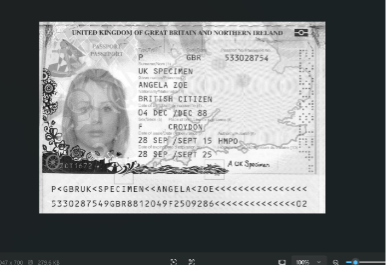
                                                                Black and White Copies are not acceptable


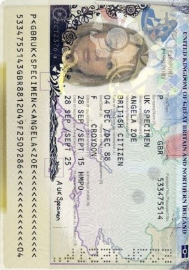
                                                                Image is rotated and harder for algorithms to process.

                                                                Image is clearly captured from a screen and will fail. Also Black & White.

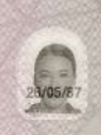
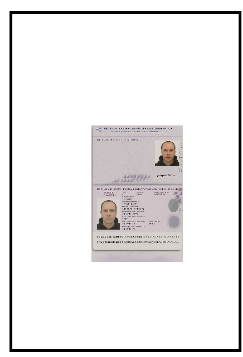
                                                                The scanned image only is a small % of the space for the file uploaded. The upload should focus on the key biometric details of the document. Formatting image in this way reduces quality and makes it harder to obtain a pass result.

                                                                • Clear/ high quality
                                                                • Colour image. 300+ DPI scan recommended.
                                                                • Image is correct way up.
                                                                • Image is Flat.
                                                                • Text is readable horizontally.
                                                                • Whole document including edges of biometric page are visible, including the MRZ.
                                                                • Both sides of Non-UK Driving Licence are uploaded

                                                                                              • Low quality/ blurred.
                                                                                              • Black and white
                                                                                              • Washed out colour.
                                                                                              • Image is a small percentage of the total page size.
                                                                                              • Captured from a screen
                                                                                              • Only part of the document is visible (e.g., missing edges) or missing data.
                                                                                              • Text is illegible.
                                                                                              • One side of (non-UK) driving licence uploaded.

                                                                                                              These requirements will help provide the best chance to receive a positive outcome although results cannot be guaranteed.

                                                                                                              Note that uploading documents through the SmartSearch platform directly does not fully utilise the full range of security and fraud prevention checks that Daon provides. The validation that also is provided via the mobile journey to allow users to retry is not present when uploading documents in this way.

                                                                                                              We will continue to monitor its effectiveness as a method of conducting document verification.

                                                                                                              The most efficient way of capturing images is via the user providing these by using the mobile journey.