
The 3 Journeys
1. Mobile Journey
The SmartDoc journey that we most recommend, as the most reliable and intuitive, is the mobile journey. This entails sending a link through for your subject (the end-user) to upload any required documents and selfie images.
2. Manual Journey
This is the SmartDoc journey that serves as an alternative to your subject uploading any images, in the event that your processes dictate that it must be uploaded internally. If either the "Advanced", or "Expert" service levels are selected, no link to your client will need to be sent through this journey.
3. Hybrid Journey
This journey is a combination of mobile and manual methods, selecting "... with facial recognition", uploading document images manually and sending a link through for the subject solely to upload their selfie image.
For more information on how to perform each of these journeys, please refer to the "How to perform a SmartDoc check" article.
SmartDoc Journey Flowchart
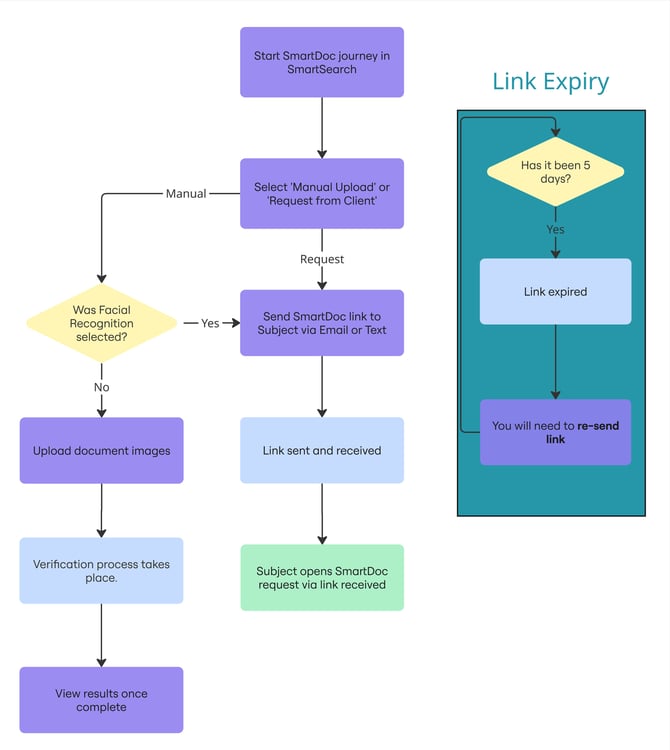
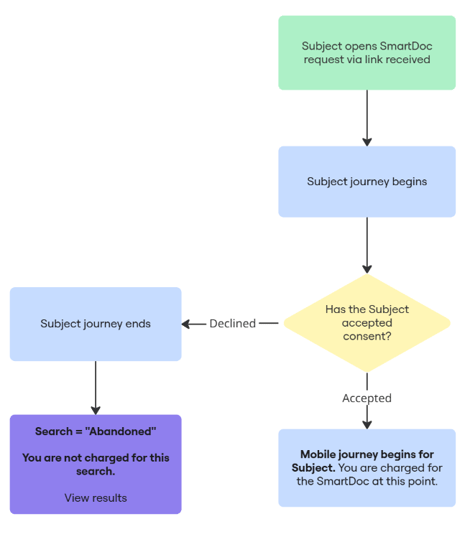
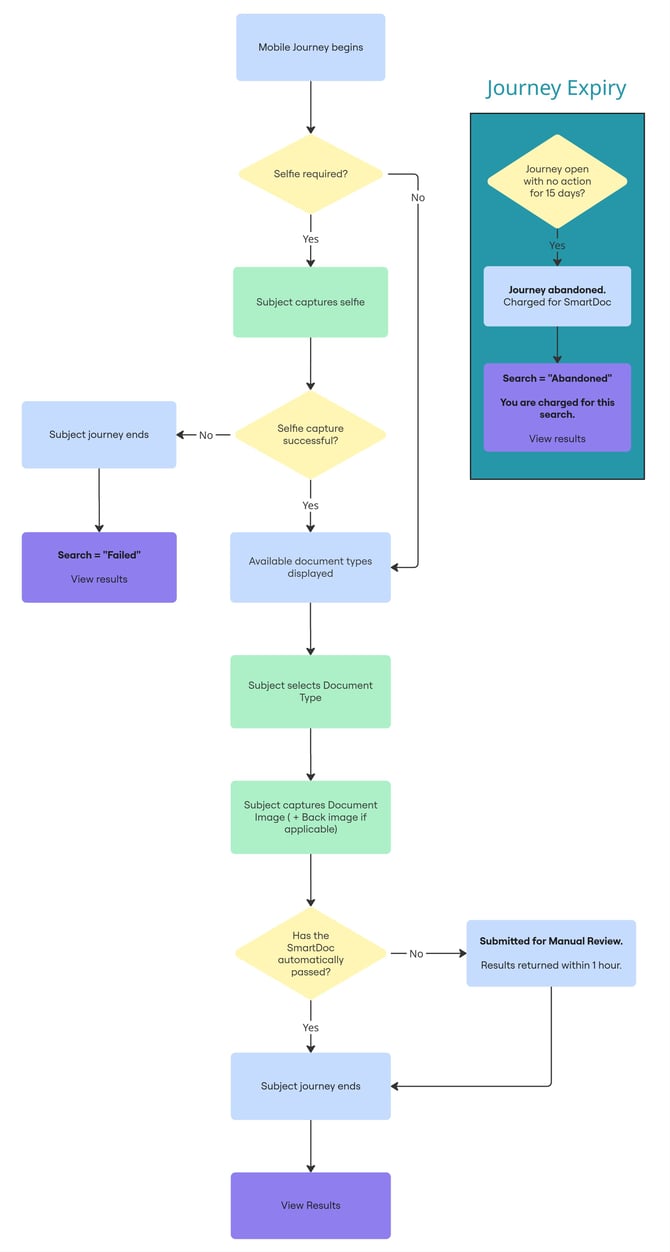
Please see the below flowcharts to visualize the main processes that go on from the beginning of a SmartDoc check through to the results.
1. From input page to link sent (or manual upload)
2. Your subject opens the link, determines consent to proceed
3. Your subject's mobile journey and results
Note on Expiry: Any link sent out will expire after 5 days, requiring a fresh link be sent through the same SmartDoc search (No new search required).
Once the subject's journey begins, the SmartDoc will be abandoned after 15 days of inactivity, requiring a brand new search to continue the verification process.
Summary
As seen in the flowchart, the SmartDoc journey allows flexibility in your AML workflow, whether sending a link through to your client to be guided through the upload process, or manually uploading images yourself.
For further information regarding any of the steps shown here, please look to our collection of SmartDoc articles in this knowledge base.